Player Support
How can we help?
Choose your game to see answers for it, or send a message straight to the team who made it.
Answers
Common questions
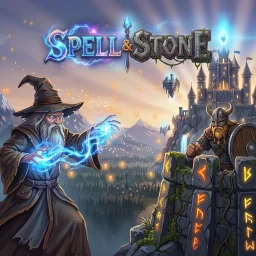 Spell & Stone
How do I restore my Full Game unlock?
Open Settings (the gear on the title screen or world map), open the Unlock Full Game panel and tap Restore Purchases. Make sure you're signed in to the same Apple Account you bought it with.
Your unlock belongs to your Apple Account rather than a save slot, so it covers every slot and every iPhone or iPad you sign in to, including a fresh install. It also keeps working offline once it has been verified.
What's free, and what does the unlock include?
The first four campaign maps are free to play. A single, optional in-app purchase unlocks the full adventure: 24 maps and 72 missions across Campaign, Heroic and Onslaught, with eight heroes to earn as you progress.
It's a one-time purchase: no subscription, no loot boxes and no paid currency. Gems are earned only by playing.
I was charged but the game is still locked
Purchases sometimes wait for approval (for example Ask to Buy) or finish after a dropped connection. Reopen the game while online: it checks for completed purchases at startup and unlocks automatically. If it's still locked, try Restore Purchases, then send us a message below.
Payments and refunds are handled by Apple. To request a refund, visit reportaproblem.apple.com.
Will I lose my progress?
The game saves after every battle and room visit, and when it's closed. There are three save slots, and each keeps a backup of its previous save. If a save is ever damaged, the game restores the backup automatically and keeps the damaged file aside.
Saves are stored on your device. A refund or a restore never deletes your progress.
The Ash King keeps freezing my towers!
Tap a frozen tower quickly to break the ice. If rapid tapping is uncomfortable, turn on Hold to defrost in Settings and simply hold the tower instead. You can also adjust music, sound, screen shake, damage numbers and tower info cards there.
When do Heroic and Onslaught missions open?
Challenge missions open on early maps after you complete campaign map 4, and every map has its own Heroic and Onslaught missions. On iPhone and iPad, challenge missions are part of the Full Game unlock.
How do I report a bug?
Use the form below and tell us what you were doing, which map and difficulty you were on, and what you expected to happen. A screenshot or screen recording helps a lot. You'll find the game version in the bottom corner of the title screen.
On Mac, Windows or Linux, please attach the log files from the logs folder:
- Mac:
~/Library/Application Support/spell-stone/logs - Windows:
%APPDATA%\spell-stone\logs - Linux:
~/.local/share/spell-stone/logs
What data does the game collect?
None. Spell & Stone has no accounts, ads, analytics or online features. It only writes its saves, settings and logs to your own device.
If you contact us, we use your email address only to reply to you, and keep your message privately so we can follow up. See our Privacy Policy.
 Cortex Zero
When can I play Cortex Zero?
Right now, if you're on a computer: the full game is free to download for Windows, macOS and Linux for a limited time. It's coming to iPhone, iPad and Mac on the App Store, and to PC on Steam. Every order works by mouse and keyboard or by touch, so you can play it whichever way suits you.
We'd love to hear how it went. Send us a message below.
Where can I find the controls?
Press F1, or tap CONTROLS in the mission HUD or the pause menu, to open the full in-game manual. The cursor also changes to show what a click will do: move, silent takedown, attack, hack or persuade.
Things getting hectic? Press Space, or tap the CHRONO-OVERCLOCK ring, and Lyra slows the world to 15% while you plan your next move.
Will I lose my progress?
There are three independent campaign save slots. Each save replaces its slot in one step and keeps a backup of the previous save, so an interrupted save never leaves you with a broken campaign.
Saves are stored on your device. Deleting a campaign asks you to confirm first, and only empties the slot you chose.
How do I report a bug?
Use the form below and tell us which mission you were on, what your squad was doing and what you expected to happen. A screenshot or screen recording helps a lot. You'll find the game version in the corner of the main menu.
On Mac, Windows or Linux, please attach the log files from the logs folder:
- Mac:
~/Library/Application Support/cortex-zero/logs - Windows:
%APPDATA%\cortex-zero\logs - Linux:
~/.local/share/cortex-zero/logs
What data does the game collect?
None. Cortex Zero has no accounts, ads, analytics or online features. It only writes its saves, settings and logs to your own device.
If you contact us, we use your email address only to reply to you, and keep your message privately so we can follow up. See our Privacy Policy.
 Stormbreak Squadron
When can I play Stormbreak Squadron?
Right now, if you're on a computer: the full game is free to download for Windows, macOS and Linux for a limited time. It's coming to iPhone and iPad on the App Store, and to PC on Steam, as a single purchase for the whole 24-stage campaign, with no ads and no in-app purchases.
How do the controls work?
Your left thumb has FIRE (hold it down), ROLL and BOMB. Drag anywhere on the right side of the screen to steer with a floating stick. The pause button sits at the top of the screen.
Prefer not to hold FIRE? Turn on Auto-fire in Settings, and the fire button becomes a toggle.
On a computer, steer with the mouse or WASD and fire with the left mouse button or Space. The right mouse button or Ctrl rolls, Q / E dodge-roll sideways and B drops a bomb. Controllers work too, and every binding can be changed under Settings → Controls.
It's too hard. Can I make it easier?
Choose the Assist difficulty from the main menu: it adds armour, widens the roll window and slows enemy fire. In Settings you can also slow the game down to 60% speed, turn on high-contrast bullets and always show your hitbox.
Remember that every stage starts the cannon at power 1, so grab the green P pickups, and save a bomb for the boss. You can practise any boss you've reached in Finale Practice.
Will I lose my progress?
Your campaign, settings and records are saved on your device. Each save replaces the previous one in a single step and keeps a backup, so an interrupted save never leaves you with a broken campaign. Tap CONTINUE on the main menu to pick up where you left off.
How do I report a bug?
Use the form below and tell us which stage you were on, which difficulty you were playing and what you expected to happen. A screenshot or screen recording helps a lot. You'll find the game version under Credits & licences on the main menu.
On Mac, Windows or Linux, please attach the log files from the logs folder:
- Mac:
~/Library/Application Support/Godot/app_userdata/Stormbreak Squadron/logs - Windows:
%APPDATA%\Godot\app_userdata\Stormbreak Squadron\logs - Linux:
~/.local/share/godot/app_userdata/Stormbreak Squadron/logs
What data does the game collect?
None. Stormbreak Squadron has no accounts, ads, analytics or online features, and plays fully offline. Your progress stays on your device.
If you contact us, we use your email address only to reply to you, and keep your message privately so we can follow up. See our Privacy Policy.
Contact
Message the team
A real person reads every message and replies by email.